The Complete E-commerce CRO Checklist for Shopify Stores
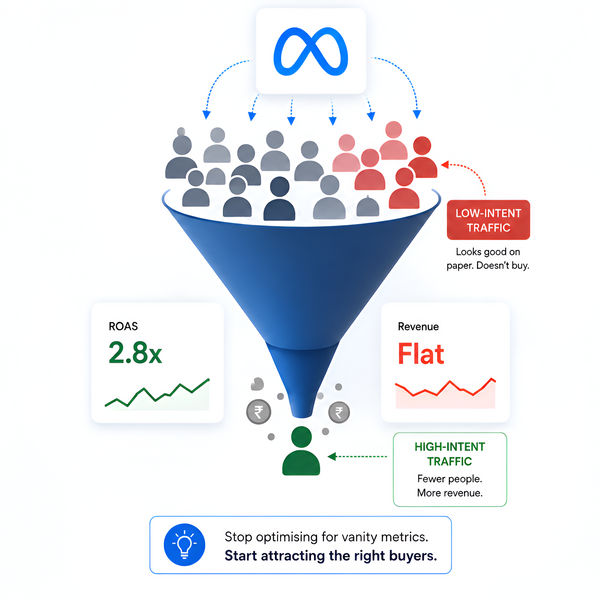
Most Shopify stores don’t have a traffic problem. They have a conversion leak problem. You’re already paying for visitors.
But 70%+ of them leave without buying.
This guide shows you exactly where you’re losing revenue, and how to fix it fast.
What is conversion rate optimization?
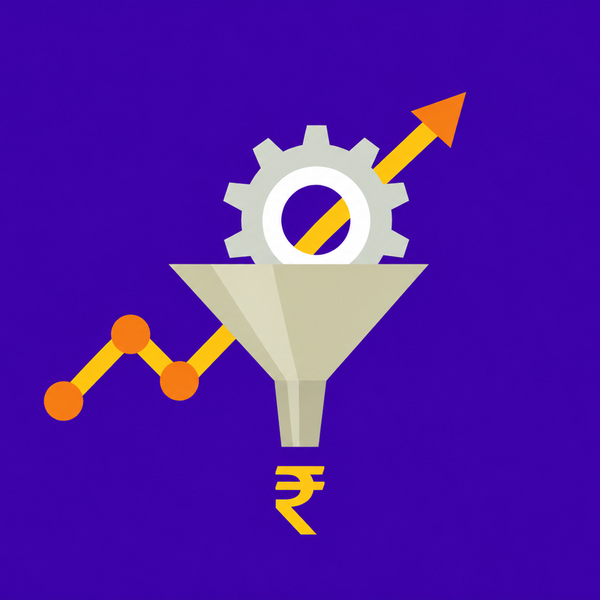
Conversion rate optimization (CRO) is the systematic process of improving your website to increase the percentage of visitors who take a desired action. Rather than simply driving more traffic, CRO focuses on making your existing traffic work harder.
Even a lift from 2% to 3% drives 50% more revenue from the same traffic.
A lift from 2% to 3% on a store doing ₹10 lakh/month in revenue means ₹15 lakh/month. That’s ₹5 lakh extra every month, without spending a single rupee more on ads.
Eliminate every unnecessary obstacle between intent and purchase.
Make your value proposition and product benefits unmistakably clear.
Align your storefront experience with what each shopper is looking for.
Homepage and landing page CRO
The homepage and ad landing pages are where first impressions are made, and where intent mismatch causes immediate drop-off. When a shopper clicks an ad for "summer linen dresses" and lands on your homepage, they leave. Every disconnect between what a shopper expected and what they found is a conversion lost before it ever had a chance.
Homepage checks
- Value proposition is clear within 5 seconds of landing
- Primary CTA visible above the fold on mobile without scrolling
- No rotating banners, static hero performs better
- Trust signals above the fold: reviews count, media mentions, order volume
- Navigation clean with a maximum of 5–7 top-level categories
- Homepage loads under 3 seconds on mobile
- Featured products reflect current demand and campaign priorities
Landing page checks
- Dedicated landing pages exist for all active paid ad campaigns
- Landing page copy mirrors the ad creative that drove the click
- Landing page shows only the products relevant to the ad, not the full store
- No competing navigation links that pull visitors away from the conversion path
- Above-the-fold content answers: what is this, who is it for, why buy now
- Headline matches the intent signal in the ad (search term, offer, product)
- Shipping cost or delivery estimate shown on the landing page
- Mobile experience tested separately, not assumed
Product page CRO
The decision to buy is almost always made on the product page, not at checkout. If a shopper reaches the cart, the product page has already done its job. If they leave from the product page, no amount of cart abandonment recovery will bring that revenue back.
Content and media checks
- Minimum 5 product images: angles, lifestyle shot, detail close-up, scale/context
- Product video included, even a short 15 second demo
- Price clearly displayed; compare-at price shown for discounted items
- Add to Cart button prominent and above the fold on both desktop and mobile
- Sticky Add to Cart active on mobile
- Size guide with actual measurements for fit-sensitive products
- Key details like material, fabric, or ingredients shown upfront
- Low stock cues like “Only X left” used where relevant
Trust and social proof checks
- Minimum 10 reviews displayed, with photo reviews prioritized
- Real customer photos shown directly on the product page
- Trust badges visible, secure payment, returns, delivery info
- FAQs answering top purchase doubts placed on the page
- Shipping estimate shown upfront, not delayed till checkout
- Return policy clearly summarized on the product page
Conversion mechanics checks
- Frequently Bought Together or complementary product suggestions present
- Related products are genuinely relevant, not random or same-collection fillers
- Variant selection is simple and easy to understand
- Out-of-stock variants disabled with a "notify me" option
- Breadcrumb navigation available for easy exploration
Collection pages and merchandising
Collection pages are one of the most overlooked revenue drivers in e-commerce. The sequence in which products appear directly affects which items get purchased. High-demand products buried on page two of a collection are invisible to the majority of shoppers, regardless of their intent.
Collection page checks
- Collection pages load fast, especially on mobile
- Filters available for larger collections, price, size, use case
- Filter options reflect how shoppers think: price, size, material, use case
- Breadcrumb navigation enabled
- Collection descriptions written with SEO-relevant copy (minimum 100 words)
- Collection page layout optimized for mobile, grid, image size, and text clarity
Merchandising logic checks
- Product order actively managed, not left to default sorting
- High-demand and high-margin products appear in the first visible row
- Seasonal and campaign products surfaced at the right time
- New arrivals surfaced without burying proven bestsellers
- Low-inventory products moved down or deprioritized
- Bundle and cross-sell logic in place for high-AOV category pages
- Collection sorting reviewed after major campaigns and restocking events
Product discoverability checks
- Site search returns accurate, relevant results
- Search handles common misspellings and variant names
- Zero-results pages offer alternatives, not dead ends
- Products tagged consistently to support accurate filtering and search
Cart and checkout CRO
Hidden friction in the buying journey is one of the primary causes of cart abandonment. Unexpected shipping costs, too many form fields, and confusing steps may seem minor in isolation, but friction compounds. One issue rarely stops a buyer; several in sequence usually will.
Cart checks
- Cart displays product image, name, variant, quantity, and price clearly
- Free shipping progress bar in cart if offering a threshold
- Shipping cost estimate shown in cart before checkout begins
- Cross-sell or upsell recommendation present in cart
- Cart is accessible and editable without navigating back to product pages
- Trust signals visible in cart: secure payment icons, return policy reminder
Checkout checks
- Guest checkout enabled and prominently offered
- Checkout progress indicator visible throughout
- Order summary visible and collapsible on mobile
- Form fields reduced to only what’s essential
- Multiple payment methods: cards, UPI, wallets, BNPL, COD
- Trust badges on the checkout page: SSL, secure payment, recognized logos
- No surprise costs introduced at checkout that weren't visible earlier
- Checkout page loads under 3 seconds on mobile
- Abandoned cart email sequence active: minimum 3 emails over 24–72 hours
Personalization and intent matching
Most Shopify stores treat every visitor the same. A first-time visitor sees the same homepage, the same product grid, and the same recommendations as a repeat customer or a high-intent shopper who arrived directly from a product ad. This creates a structural conversion gap — and that gap is where most revenue is lost.
Shopper intent segmentation checks
- Traffic source is used to differentiate the experience: paid vs organic vs direct vs social
- First-time visitors and returning visitors treated as different segments
- High-intent signals tracked: specific product views, repeated category visits, long session time
- Landing pages customized by campaign, not pointing to homepage
- Repeat visitors shown relevant returning-customer content or recently viewed products
- Browsers and high-intent shoppers not shown identical recommendations
Recommendation and personalization checks
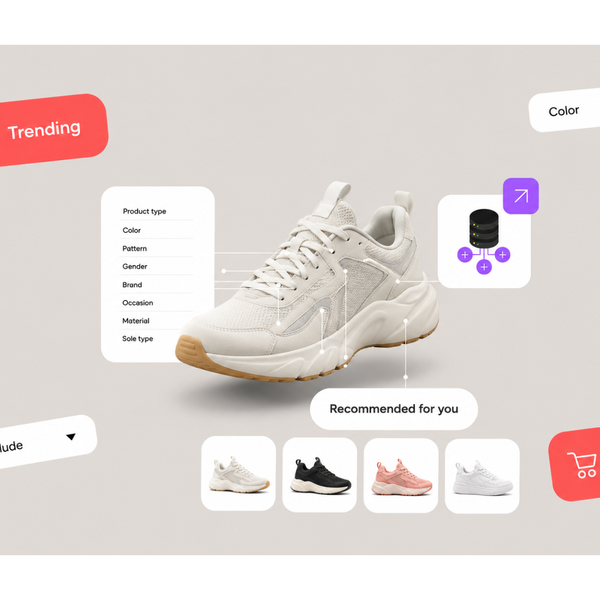
- Product recommendations based on session behaviour
- Recommendations on product pages reflect what this shopper has viewed
- Homepage featured products updated regularly
- “You may also like” logic focused on relevance, not just collections
- Personalization works without requiring login, using session data
Real-time behavior checks
- Session signals captured: pages viewed, scroll depth, time on site, product interactions
- High-intent visitors identified before they leave the site
- Storefront adapts during the session, not after it ends
- Retargeting audiences built from intent signals, not just page visits
Analytics and optimization infrastructure
You can't optimize what you don't measure. Most stores have analytics installed but lack the funnel visibility and session-level data needed to understand where and why shoppers are dropping off.
Tracking and data quality checks
- Google Analytics 4 installed and receiving accurate data
- Purchase conversion event firing correctly in GA4
- Full funnel set up: homepage → collection → product → cart → checkout → purchase
- Shopify Analytics revenue data matches GA4 within acceptable variance
- Facebook Pixel installed with purchase event verified in Events Manager
- Google Ads conversion tracking installed
- Microsoft Clarity or Hotjar installed and recording sessions
- UTM parameters used consistently on all paid traffic links
Funnel analysis checks
- Drop-off rate at each funnel stage identified and benchmarked
- Product page-to-cart rate tracked separately from cart-to-checkout rate
- Mobile vs desktop conversion rates compared
- Traffic source conversion rates compared: paid, organic, direct, social
- Session recordings reviewed regularly for friction patterns
CRO testing infrastructure checks
- A/B testing capability in place for high-traffic pages
- Hypothesis log maintained: what's being tested, why, and expected outcome
- Test results reviewed for statistical significance before drawing conclusions
- Changes informed by quantitative data (funnel drop-off) and qualitative data (session recordings) together
CRO audit scoring: how to prioritize your fixes
After completing the audit, use this framework to prioritize your optimization roadmap based on how many checkpoints each category passes.
| Score | Status | Priority |
|---|---|---|
| 0–40% | Critical — significant revenue loss at multiple stages | Fix immediately |
| 40–60% | Needs meaningful work across key surfaces | Fix within 2 weeks |
| 60–80% | Clear opportunities to improve conversion | Fix within 30 days |
| 80–90% | Strong store, focus on personalization uplift | Ongoing optimization |
| 90%+ | Optimize for intent matching and scale growth | Growth and scaling |
Fix in this order for maximum revenue impact:
- 1Product page doubt removal — the biggest pre-cart conversion lever
- 2Landing page intent matching — eliminate mismatch between ad and page
- 3Cart friction reduction — shipping cost transparency, fewer form fields
- 4Checkout optimization — payment options, trust signals, mobile experience
- 5Collection page merchandising — product order, filtering, discoverability
- 6Personalization and intent-based recommendations
- 7Analytics and testing infrastructure to sustain gains over time
How Helium approaches conversion rate optimization
Most CRO tools look backward. Heatmaps, session recordings, and A/B testing platforms analyze what users did after they’ve already left. They show where drop-offs happen, but not how to prevent them in the moment. By the time you act on that data, the conversion opportunity is gone. Helium is built on a different approach, acting while the shopper is still on your site, when there’s still a chance to influence the outcome.
- Tracks scroll behaviour, product interactions, and visit patterns
- Builds an intent profile for every shopper in real time
- Works without requiring login or account data
- Reorders collections dynamically based on user intent
- Surfaces high-relevance products at the top automatically
- Increases visibility for products most likely to convert
- Adapts landing pages based on traffic source and behaviour
- Aligns content with what the user came looking for
- Reduces drop-off caused by intent mismatch
- Identifies high-intent visitors during the session
- Sends stronger signals to ad platforms
- Improves retargeting efficiency and reduces wasted spend
"The best time to influence a conversion is while the shopper is still on your site, not after they've left."
See how real-time CRO works in practice
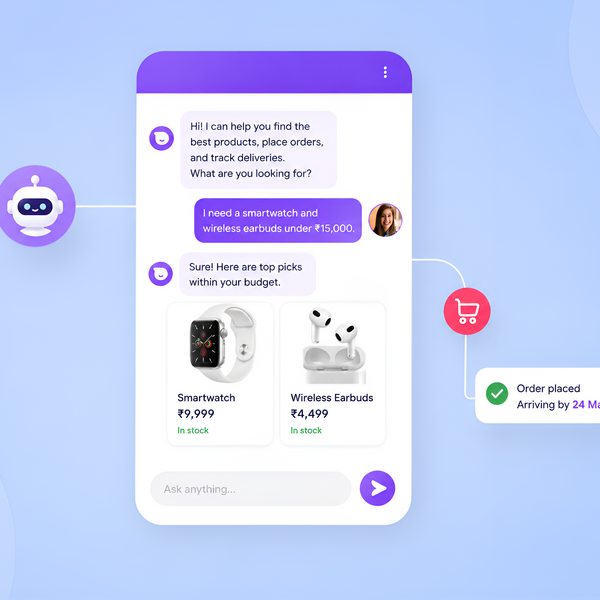
Helium shows each shopper exactly what they’re most likely to buy, in the moment, not after they leave.
Frequently asked questions
Conversion rate optimization (CRO) in ecommerce is the process of improving your online store so that a higher percentage of visitors complete a purchase. It involves identifying where shoppers drop off, finding the friction and doubt causing that drop-off, and making targeted improvements to the shopping experience — from landing pages and product pages through to checkout.
The average ecommerce conversion rate is between 1 and 3 percent. High-performing Shopify stores often achieve 3 to 5 percent. Conversion rate varies significantly by industry, traffic source, and price point — the most meaningful benchmark is your own store's historical rate and the trajectory you're on over time.
The most common causes include generic experiences that don't match shopper intent, product pages that fail to answer key purchase questions, shipping costs revealed late in checkout, poor mobile experience, slow page load times, and insufficient or poorly placed social proof. The largest drops typically happen before the cart — on the product page or collection page.
A/B testing is one tactic within CRO. Conversion rate optimization is the broader practice — which includes understanding shopper behavior, identifying drop-off points, forming hypotheses, running experiments, and making sustained improvements over time. A/B testing tells you which of two variants performs better. CRO tells you why shoppers aren't converting and what to do about it.
Traditional CRO tools analyze behavior after sessions end and apply changes to future visitors. Real-time CRO systems read live session signals and adapt the storefront during the active session — reordering products, adjusting recommendations, and personalizing pages while the shopper is still on the site. This makes it possible to influence the conversion while there is still an opportunity to do so.
Start on the product page — for most Shopify stores, this is where the purchase decision is made or abandoned. After improving product pages, focus on the landing pages connected to your paid ads and your highest-traffic collection pages. Once pre-cart conversion improves, cart abandonment and checkout drop-off naturally decrease as a result.
Personalization improves conversion by matching the store experience to each shopper's intent. When a high-intent visitor sees the most relevant products first, with content that addresses their specific questions and concerns, the path from browsing to purchase becomes shorter and less friction-filled. Stores that match experience to intent see measurable conversion improvements — typically visible within weeks of deployment.
Yes. While A/B testing requires significant traffic to reach statistically valid results, many CRO improvements — reducing friction, improving product page content, fixing intent mismatch on landing pages — can be implemented and measured without large sample sizes. Real-time personalization systems like Helium act on individual session signals rather than population-level patterns, making them effective at lower traffic volumes than traditional A/B testing requires.